Framerate limiter does not work

Milklord

New Member
Messages
4
Reaction score
4
If you make Vsync/FPS not set by display, instead of the FPS being limited to whatever limit you set, the FPS is set to unlimited. On my computer, if you set the FPS to be limited to 30fps, the in-game FPS counter will instead show that the FPS is about 100. My GPU utilization will go from 70% (when I make the limit to be "set by display", my display is 60Hz) to 100%. This is version 2025.11.8.2847 and I this is found on the default save load from the get go.
 
  • Like
Reactions: Ava
Upvote 0
I've noticed this as well. I can only get the framerate to be limited by my monitor's refresh rate or unlimited.
And for what it's worth, I'm on Linux with an AMD GPU.
 
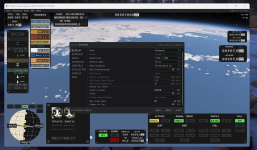
I noticed that aswell. fps is set to 30 but goes up to 90 in flight and up to 200+ in vab.
If set to vsync the fps is double that of my monitor
 

Attachments

  • KSA-fps.PNG
    KSA-fps.PNG
    1.6 MB · Views: 0
Just to bump up this thread again and hopefully garner some attention. I would very much want the framerate limiter to work so my GPU and CPU aren't dying from trying to render more frames.

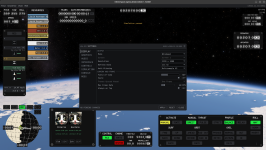
In the attached image, I have my framerate set to 60 in the settings. However, when you look in the top right corner at the true FPS, its much higher.
 

Attachments

  • Screenshot From 2026-11-13 23-07-42.png
    Screenshot From 2026-11-13 23-07-42.png
    1.2 MB · Views: 0
Just to bump up this thread again and hopefully garner some attention. I would very much want the framerate limiter to work so my GPU and CPU aren't dying from trying to render more frames.

In the attached image, I have my framerate set to 60 in the settings. However, when you look in the top right corner at the true FPS, its much higher.
yep with the current prices a new card is not in sight any time soon... But I also don't get the doubling with refresh rate and fps limit, shouldn't it be the same thing?
 
Back
Top