Infinite_Spaces.
Member
- Messages
- 51
- Reaction score
- 97
The Planetary Sculpting Suite
Vol. 1: Luna + Vol. 2: Mars
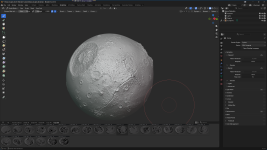
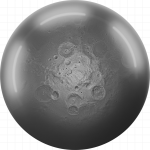
- Vol. 1 - Luna: 150 brush stamps (Topo & Detail across 1K, 2K, 4K, and 8K tiers) derived from USGS LOLA-Kaguya SLDEM2015 altimetry.
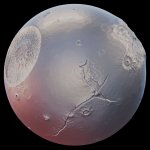
- Vol. 2 - Mars: 200 hero brush stamps (Topo & Detail across 4K and 8K tiers) derived from NASA MOLA & ESA HRSC blended altimetry.
Curated 16Bit planetary displacement data, released as a set of categorized sculpting asset libraries for Blender.
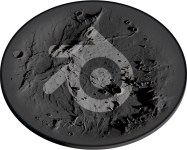
Bring actual planetary topography into Blender, with sculpt brushes made directly from 16bit planetary laser scans. Fully corrected for orbital distortion and feathered cleanly to absolute 50% neutral gray to blend in to your sculpt without pinching, stretching, or visible borders.
Bring actual planetary topography into Blender, with sculpt brushes made directly from 16bit planetary laser scans. Fully corrected for orbital distortion and feathered cleanly to absolute 50% neutral gray to blend in to your sculpt without pinching, stretching, or visible borders.
- License: Public Domain / Creative Commons Zero (CC0 1.0 Universal)
- Master Build Environment: Blender 5.2
- Packed Architecture: Self-contained .blend files with embedded 16-bit TIFF displacement data and custom UI previews
Full official links and info [v2.0]:
[Internet Archive]* - [Google Drive]*
(Last updated 03-11-26)
*Above links are to a zip file containing the full documentation and direct download links for the asset library .blend files.
Extract the folder, make sure the images folder is next to the "The Planetary Sculpting Suite.html" before running it.
[Internet Archive]* - [Google Drive]*
(Last updated 03-11-26)
*Above links are to a zip file containing the full documentation and direct download links for the asset library .blend files.
Extract the folder, make sure the images folder is next to the "The Planetary Sculpting Suite.html" before running it.
From the above linked documentation:
Direct download links: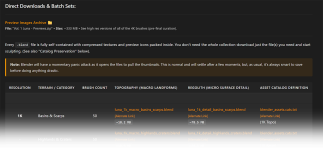
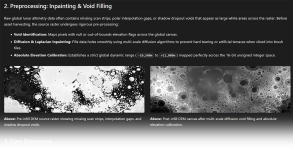
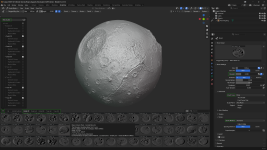
Last edited: