Trial Deployment of Linux Builds

Apologies it has taken this long, but we are now trialing linux build deployments. These builds are deployed untested. I have changed ⁠version-history on discord to now split out preparing the builds and deploying them. The windows build will now refuse to deploy a build that fails digital signature. Both builds will now indicate if they have successfully be deployed or not. The master server MAY indicate an incorrect build for linux, if linux fails to deploy. This will be changed soon when I can update that side of the deployment process.

You can download the trial builds for linux directly at:https://ksa-linux.ahwoo.com/

Please consider contributing​

It will increase our costs significantly to host this separate linux deployment. We are already spending x10 as much as we get in contributions - so it would make a great deal of help if folks who find the linux deployment useful consider contributing. If you do contribute - please do note in the contribution message if you can that it is FOR the linux deployments. I will use this data to help push that we should continue to integrate this going forward.

Report Linux issues​

Please discuss linux issues here and we will do our best to resolve them. One member of the team is developing on linux, so we do have some capacity to try and resolve these issues where they occur.
 
Hi Rocket, I just saw the update regarding the Linux trial and the significant hosting costs involved. To help mitigate that 10x deficit, have you considered offering the game downloads via BitTorrent alongside the direct links?
It could drastically reduce your server load once the initial seeds are out there, and it's a great way for community members who can't donate financially to 'contribute' by sharing their bandwidth instead. Just a thought to help keep the builds sustainable!
 
I'll assume
discuss linux issues here
means in this thread?

Compared to the windows binary this one gives a much nicer backtrace - I assume if you look at the source code it will be obvious what is happening :).

Code:
13:14:09 DEBUG Found dedicated compute queue family at index 1
13:14:09 DEBUG Multi view supported: True
13:14:09 DEBUG Ray query acceleration structure support:True
13:14:12 ERROR GLFW Error: 65548 Wayland: The platform does not provide the window position
13:14:12 ERROR Unhandled exception System.ArgumentException: '3' cannot be greater than 0.
   at System.Math.ThrowMinMaxException[T](T min, T max)
   at Core.Renderer.CreateSwapchain(Int32 graphicsQueueFamilyIndex, Int32 presentQueueFamilyIndex, VkPresentModeKHR requestedPresentMode, Int32 requestedImageCount, GlfwWindow window, VkSurfaceKHR surface, VkSwapchainKHR oldSwapchain) in C:\prototype-planet\Planet.Render.Core\Renderer.cs:line 730
   at Core.Renderer.Rebuild(VkPresentModeKHR inPresentMode) in C:\prototype-planet\Planet.Render.Core\Renderer.cs:line 223
   at Core.Renderer..ctor(GlfwWindow window, VkFormat depthFormat, VkPresentModeKHR presentMode, Api vulkanApiVersion) in C:\prototype-planet\Planet.Render.Core\Renderer.cs:line 188
   at KSA.Program..ctor(IReadOnlyList`1 inArgs) in C:\prototype-planet\KSA\Program.cs:line 351
   at KSA.Program.Main(String[] inArgs) in C:\prototype-planet\KSA\Program.cs:line 1132.
Unhandled exception. System.ArgumentException: '3' cannot be greater than 0.
   at System.Math.ThrowMinMaxException[T](T min, T max)
   at Core.Renderer.CreateSwapchain(Int32 graphicsQueueFamilyIndex, Int32 presentQueueFamilyIndex, VkPresentModeKHR requestedPresentMode, Int32 requestedImageCount, GlfwWindow window, VkSurfaceKHR surface, VkSwapchainKHR oldSwapchain) in C:\prototype-planet\Planet.Render.Core\Renderer.cs:line 730
   at Core.Renderer.Rebuild(VkPresentModeKHR inPresentMode) in C:\prototype-planet\Planet.Render.Core\Renderer.cs:line 223
   at Core.Renderer..ctor(GlfwWindow window, VkFormat depthFormat, VkPresentModeKHR presentMode, Api vulkanApiVersion) in C:\prototype-planet\Planet.Render.Core\Renderer.cs:line 188
   at KSA.Program..ctor(IReadOnlyList`1 inArgs) in C:\prototype-planet\KSA\Program.cs:line 351
   at KSA.Program.Main(String[] inArgs) in C:\prototype-planet\KSA\Program.cs:line 1132

I tried running through gamescope because of the GLFW errors but that didn't make a difference, I get the exact same backtrace in gamescope's fake X just without the GLFW errors.
 
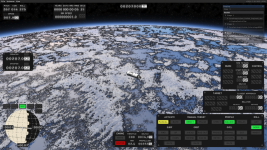
Neat, it Just Works out of the box at first glance - nice work!

(linked image because "The uploaded file is too large for the server to process" even though it's only 2.3MB while the dialog says 25MB max)

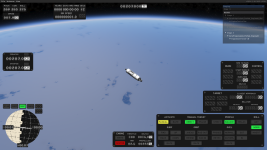
~50FPS with 2k screen res and most graphics objects set to 2k (except 4k planet textures because pretty) on my 8GB RTX3070 (Xorg, nvidia-driver 580.126.09)

I assume the extra costs are mostly the CI pipeline and Linux developer man-hours, rather than simply hosting the file on a CDN?

PS: yes I know graphics texture sizes aren't related to screen resolution, it's just a coincidence that 2k textures fit in my VRAM and the screen resolution is the same marketing number.
 
I'll assume

means in this thread?

Compared to the windows binary this one gives a much nicer backtrace - I assume if you look at the source code it will be obvious what is happening :).

Code:
13:14:09 DEBUG Found dedicated compute queue family at index 1
13:14:09 DEBUG Multi view supported: True
13:14:09 DEBUG Ray query acceleration structure support:True
13:14:12 ERROR GLFW Error: 65548 Wayland: The platform does not provide the window position
13:14:12 ERROR Unhandled exception System.ArgumentException: '3' cannot be greater than 0.
   at System.Math.ThrowMinMaxException[T](T min, T max)
   at Core.Renderer.CreateSwapchain(Int32 graphicsQueueFamilyIndex, Int32 presentQueueFamilyIndex, VkPresentModeKHR requestedPresentMode, Int32 requestedImageCount, GlfwWindow window, VkSurfaceKHR surface, VkSwapchainKHR oldSwapchain) in C:\prototype-planet\Planet.Render.Core\Renderer.cs:line 730
   at Core.Renderer.Rebuild(VkPresentModeKHR inPresentMode) in C:\prototype-planet\Planet.Render.Core\Renderer.cs:line 223
   at Core.Renderer..ctor(GlfwWindow window, VkFormat depthFormat, VkPresentModeKHR presentMode, Api vulkanApiVersion) in C:\prototype-planet\Planet.Render.Core\Renderer.cs:line 188
   at KSA.Program..ctor(IReadOnlyList`1 inArgs) in C:\prototype-planet\KSA\Program.cs:line 351
   at KSA.Program.Main(String[] inArgs) in C:\prototype-planet\KSA\Program.cs:line 1132.
Unhandled exception. System.ArgumentException: '3' cannot be greater than 0.
   at System.Math.ThrowMinMaxException[T](T min, T max)
   at Core.Renderer.CreateSwapchain(Int32 graphicsQueueFamilyIndex, Int32 presentQueueFamilyIndex, VkPresentModeKHR requestedPresentMode, Int32 requestedImageCount, GlfwWindow window, VkSurfaceKHR surface, VkSwapchainKHR oldSwapchain) in C:\prototype-planet\Planet.Render.Core\Renderer.cs:line 730
   at Core.Renderer.Rebuild(VkPresentModeKHR inPresentMode) in C:\prototype-planet\Planet.Render.Core\Renderer.cs:line 223
   at Core.Renderer..ctor(GlfwWindow window, VkFormat depthFormat, VkPresentModeKHR presentMode, Api vulkanApiVersion) in C:\prototype-planet\Planet.Render.Core\Renderer.cs:line 188
   at KSA.Program..ctor(IReadOnlyList`1 inArgs) in C:\prototype-planet\KSA\Program.cs:line 351
   at KSA.Program.Main(String[] inArgs) in C:\prototype-planet\KSA\Program.cs:line 1132

I tried running through gamescope because of the GLFW errors but that didn't make a difference, I get the exact same backtrace in gamescope's fake X just without the GLFW errors.

This crash happens if you're on an AMD GPU (or anything that isn't nvidia), and you can fix it by patching the KSA executable:


Bash:
cp KSA KSA.patched
printf "\0\x20\xff\xff\xff\x7f\0\0\0\0\0" | dd of=KSA.patched obs=1 oseek=82319511 conv=notrunc
chmod u+x KSA.patched

(then make sure to run the game with ./KSA.patched instead of ./KSA)

This will let you launch the game, but you might not get much further than that, as most of the issues that were present when running the game through Proton on AMD (no terrain, graphical artefacts, frequent crashes) are still present on the native Linux build.

From what I've heard on the discord, the devs are aware of this issue and there should be a proper fix in the next build, but fixing all the other AMD/Mesa driver incompatibility bugs will likely take much longer.
 
you can fix it by patching the KSA executable
Neat! As @SSDeveloper said, beautifully hacky.

From what I've heard on the discord, the devs are aware of this issue and there should be a proper fix in the next build, but fixing all the other AMD/Mesa driver incompatibility bugs will likely take much longer.
OK, so now I have a confirmation that the glitches are KSA@AMD issues, not Wine/Debian or anything of that sort of issues. AMD is focusing on RADV, so the future is bright.
 
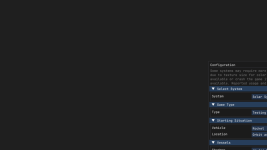
On Hyprland KSA has serious scaling/mouse position issues and tries to randomly spawn dialogs into separate non-child windows, making a mess.

Here, for example a configuration popped into separate window after attempting to interact with drop-down lists. This window is not a child of the main KSA window (so compositor does not float it), moreover it does has neither app-id, nor a title, nor xdg tag, so I can't float it via window rules...

Scratch that, it tries to spawn any drop-down as a separate window. This is a non-starter on Wayland.

1771534063147.png

Initial fullscreen window before any interaction looks like this, out of frame, with misaligned mouse. I use 1x scaling on the display.
1771534741739.png

...and
Code:
Fatal error.
System.AccessViolationException: Attempted to read or write protected memory. This is often an indication that other memory is corrupt.
   at KSA.PlanetRenderer.GenerateMeshData(Brutal.VulkanApi.CommandBuffer, KSA.Viewport, Int32)
   at KSA.Program.RenderGame(RenderCore.AcquiredFrame, Double)
   at KSA.Program.OnFrame(Double, Double)
   at KSA.App.Run()
   at KSA.Program.Main(System.String[])

Better interaction results via xwayland-run, but so far out of 5 attempts, none got past the protected memory error.
6th and 7th attempts briefly showed initial scene before crashing.

BTW, X11 version does not try to spawn any windows, why is that?
 
Last edited:
On Hyprland KSA has serious scaling/mouse position issues and tries to randomly spawn dialogs into separate non-child windows, making a mess.

Here, for example a configuration popped into separate window after attempting to interact with drop-down lists. This window is not a child of the main KSA window (so compositor does not float it), moreover it does has neither app-id, nor a title, nor xdg tag, so I can't float it via window rules...

Scratch that, it tries to spawn any drop-down as a separate window. This is a non-starter on Wayland.

View attachment 1258

Initial fullscreen window before any interaction looks like this, out of frame, with misaligned mouse. I use 1x scaling on the display.
View attachment 1259

...and
Code:
Fatal error.
System.AccessViolationException: Attempted to read or write protected memory. This is often an indication that other memory is corrupt.
   at KSA.PlanetRenderer.GenerateMeshData(Brutal.VulkanApi.CommandBuffer, KSA.Viewport, Int32)
   at KSA.Program.RenderGame(RenderCore.AcquiredFrame, Double)
   at KSA.Program.OnFrame(Double, Double)
   at KSA.App.Run()
   at KSA.Program.Main(System.String[])

Better interaction results via xwayland-run, but so far out of 5 attempts, none got past the protected memory error.
Is your screen resolution particularly small? The game shouldn't spawn dropdowns as separate windows unless the main window is too small to fit them
 
  • Like
Reactions: Psycho_zs
Is your screen resolution particularly small? The game shouldn't spawn dropdowns as separate windows unless the main window is too small to fit them
Thanks, it gave me a clue. Perhaps the game interpreted being initially spawned in a small tile as having a small screen, all downhill from that. I wrote a borked floating rule. Spawning on an empty workspace (or writing a correct floating rule) seems to do the trick.

1771536598757.png
1771536701273.png

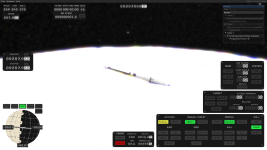
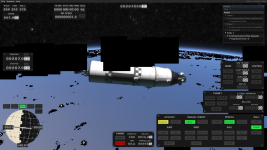
Glitches on clouds flicker on and off, the first screenshot got a lucky frame.

...and got the same protected memory error on applying graphics settings.

...it starts up successfully with maximum numbered (not "unlimited") settings and full solar system. Seems to eat much less RAM than in Wine.
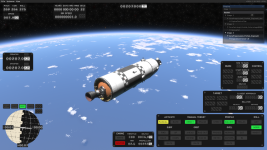
Severity of glitches (and protected memory crash before any interaction) varies from startup to startup.

relatively less lucky startup:
1771537505779.png
slightly more lucky startup:
1771537668766.png

Applying graphics settings in-game crashed it in 4 out of 4 attempts

...last 5 startup attempts were successful in a row (no unprovoked crashes).
The last one even didn't have any glitches (except transparent continents).
1771538356901.png

Going this close to the Moon soft-hangs the game. As if FPS drops to 0.05 or something like that. Scrolling away or switching to orbital view resumes it... eventually.
1771538834341.png

I wonder if all the variability of problems from startup to startup is an AMD issue or not.


Moon is a cursed place right now:
Code:
kernel: amdgpu 0000:07:00.0: amdgpu: [gfxhub] page fault (src_id:0 ring:24 vmid:5 pasid:32772)
kernel: amdgpu 0000:07:00.0: amdgpu:  Process KSA pid 512015 thread KSA pid 512015
kernel: amdgpu 0000:07:00.0: amdgpu:   in page starting at address 0x0000000024a00000 from client 10
kernel: amdgpu 0000:07:00.0: amdgpu: GCVM_L2_PROTECTION_FAULT_STATUS:0x00501431
kernel: amdgpu 0000:07:00.0: amdgpu:          Faulty UTCL2 client ID: SQC (data) (0xa)
kernel: amdgpu 0000:07:00.0: amdgpu:          MORE_FAULTS: 0x1
kernel: amdgpu 0000:07:00.0: amdgpu:          WALKER_ERROR: 0x0
kernel: amdgpu 0000:07:00.0: amdgpu:          PERMISSION_FAULTS: 0x3
kernel: amdgpu 0000:07:00.0: amdgpu:          MAPPING_ERROR: 0x0
kernel: amdgpu 0000:07:00.0: amdgpu:          RW: 0x0
kernel: amdgpu 0000:07:00.0: amdgpu: [gfxhub] page fault (src_id:0 ring:24 vmid:5 pasid:32772)
kernel: amdgpu 0000:07:00.0: amdgpu:  Process KSA pid 512015 thread KSA pid 512015
kernel: amdgpu 0000:07:00.0: amdgpu:   in page starting at address 0x0000000024a00000 from client 10
kernel: amdgpu 0000:07:00.0: amdgpu: [gfxhub] page fault (src_id:0 ring:24 vmid:5 pasid:32772)
kernel: amdgpu 0000:07:00.0: amdgpu:  Process KSA pid 512015 thread KSA pid 512015
kernel: amdgpu 0000:07:00.0: amdgpu:   in page starting at address 0x0000000024a00000 from client 10
kernel: amdgpu 0000:07:00.0: amdgpu: [gfxhub] page fault (src_id:0 ring:24 vmid:5 pasid:32772)
kernel: amdgpu 0000:07:00.0: amdgpu:  Process KSA pid 512015 thread KSA pid 512015
kernel: amdgpu 0000:07:00.0: amdgpu:   in page starting at address 0x0000000024a00000 from client 10
kernel: amdgpu 0000:07:00.0: amdgpu: [gfxhub] page fault (src_id:0 ring:24 vmid:5 pasid:32772)
kernel: amdgpu 0000:07:00.0: amdgpu:  Process KSA pid 512015 thread KSA pid 512015
kernel: amdgpu 0000:07:00.0: amdgpu:   in page starting at address 0x0000000024a00000 from client 10
kernel: amdgpu 0000:07:00.0: amdgpu: [gfxhub] page fault (src_id:0 ring:24 vmid:5 pasid:32772)
kernel: amdgpu 0000:07:00.0: amdgpu:  Process KSA pid 512015 thread KSA pid 512015
kernel: amdgpu 0000:07:00.0: amdgpu:   in page starting at address 0x0000000024a00000 from client 10
uwsm_hyprland.desktop[512281]: QThreadStorage: entry 4 destroyed before end of thread 0x55d75c8d5460
uwsm_hyprland.desktop[512281]: QThreadStorage: entry 2 destroyed before end of thread 0x55d75c8d5460
uwsm_hyprland.desktop[512281]: QThreadStorage: entry 1 destroyed before end of thread 0x55d75c8d5460
kernel: amdgpu 0000:07:00.0: amdgpu: Dumping IP State
kernel: amdgpu 0000:07:00.0: amdgpu: Dumping IP State Completed
kernel: amdgpu 0000:07:00.0: amdgpu: [drm] AMDGPU device coredump file has been created
kernel: amdgpu 0000:07:00.0: amdgpu: [drm] Check your /sys/class/drm/card1/device/devcoredump/data
kernel: amdgpu 0000:07:00.0: amdgpu: ring gfx_0.0.0 timeout, signaled seq=236146, emitted seq=236148
kernel: amdgpu 0000:07:00.0: amdgpu:  Process KSA pid 512015 thread KSA pid 512015
kernel: amdgpu 0000:07:00.0: amdgpu: Starting gfx_0.0.0 ring reset
kernel: amdgpu 0000:07:00.0: amdgpu: Ring gfx_0.0.0 reset succeeded
kernel: amdgpu 0000:07:00.0: [drm] device wedged, but recovered through reset
kernel: amdgpu 0000:07:00.0: amdgpu: [gfxhub] page fault (src_id:0 ring:24 vmid:5 pasid:32772)
kernel: amdgpu 0000:07:00.0: amdgpu:  Process KSA pid 512015 thread KSA pid 512015
kernel: amdgpu 0000:07:00.0: amdgpu:   in page starting at address 0x000085b03e90f000 from client 10
kernel: amdgpu 0000:07:00.0: amdgpu: GCVM_L2_PROTECTION_FAULT_STATUS:0x00501430
kernel: amdgpu 0000:07:00.0: amdgpu:          Faulty UTCL2 client ID: SQC (data) (0xa)
kernel: amdgpu 0000:07:00.0: amdgpu:          MORE_FAULTS: 0x0
kernel: amdgpu 0000:07:00.0: amdgpu:          WALKER_ERROR: 0x0
kernel: amdgpu 0000:07:00.0: amdgpu:          PERMISSION_FAULTS: 0x3
kernel: amdgpu 0000:07:00.0: amdgpu:          MAPPING_ERROR: 0x0
kernel: amdgpu 0000:07:00.0: amdgpu:          RW: 0x0
kernel: amdgpu 0000:07:00.0: amdgpu: Dumping IP State
kernel: amdgpu 0000:07:00.0: amdgpu: Dumping IP State Completed
kernel: amdgpu 0000:07:00.0: amdgpu: [drm] AMDGPU device coredump file has been created
kernel: amdgpu 0000:07:00.0: amdgpu: [drm] Check your /sys/class/drm/card1/device/devcoredump/data
kernel: amdgpu 0000:07:00.0: amdgpu: ring gfx_0.0.0 timeout, signaled seq=236147, emitted seq=236149
kernel: amdgpu 0000:07:00.0: amdgpu:  Process KSA pid 512015 thread KSA pid 512015
kernel: amdgpu 0000:07:00.0: amdgpu: Starting gfx_0.0.0 ring reset
kernel: amdgpu 0000:07:00.0: amdgpu: Ring gfx_0.0.0 reset succeeded
kernel: amdgpu 0000:07:00.0: [drm] device wedged, but recovered through reset
kernel: amdgpu 0000:07:00.0: amdgpu: [gfxhub] page fault (src_id:0 ring:24 vmid:5 pasid:32772)
kernel: amdgpu 0000:07:00.0: amdgpu:  Process KSA pid 512015 thread KSA pid 512015
kernel: amdgpu 0000:07:00.0: amdgpu:   in page starting at address 0x000085b03e90f000 from client 10
kernel: amdgpu 0000:07:00.0: amdgpu: GCVM_L2_PROTECTION_FAULT_STATUS:0x00501430
kernel: amdgpu 0000:07:00.0: amdgpu:          Faulty UTCL2 client ID: SQC (data) (0xa)
kernel: amdgpu 0000:07:00.0: amdgpu:          MORE_FAULTS: 0x0
kernel: amdgpu 0000:07:00.0: amdgpu:          WALKER_ERROR: 0x0
kernel: amdgpu 0000:07:00.0: amdgpu:          PERMISSION_FAULTS: 0x3
kernel: amdgpu 0000:07:00.0: amdgpu:          MAPPING_ERROR: 0x0
kernel: amdgpu 0000:07:00.0: amdgpu:          RW: 0x0
kernel: amdgpu 0000:07:00.0: amdgpu: Dumping IP State
kernel: amdgpu 0000:07:00.0: amdgpu: Dumping IP State Completed
kernel: amdgpu 0000:07:00.0: amdgpu: [drm] AMDGPU device coredump file has been created
kernel: amdgpu 0000:07:00.0: amdgpu: [drm] Check your /sys/class/drm/card1/device/devcoredump/data
kernel: amdgpu 0000:07:00.0: amdgpu: ring gfx_0.0.0 timeout, signaled seq=236148, emitted seq=236150
kernel: amdgpu 0000:07:00.0: amdgpu:  Process KSA pid 512015 thread KSA pid 512015
kernel: amdgpu 0000:07:00.0: amdgpu: Starting gfx_0.0.0 ring reset
kernel: amdgpu 0000:07:00.0: amdgpu: Ring gfx_0.0.0 reset succeeded
kernel: amdgpu 0000:07:00.0: [drm] device wedged, but recovered through reset

Also tried on the lowest settings, same.
 
Last edited:
I wonder if all the variability of problems from startup to startup is an AMD issue or not.
I think they honestly may be, I used to have an Nvidia card in my main rig and only after switching to an AMD card did I start experiencing weird startup variability, could just be coincidence though.
 
Patched version crashes with
Fatal error.
System.AccessViolationException: Attempted to read or write protected memory. This is often an indication that other memory is corrupt.
at KSA.PlanetRenderer.UpdateUvOffsets(Brutal.VulkanApi.CommandBuffer, KSA.Viewport, Int32)
at KSA.Program.RenderGame(RenderCore.AcquiredFrame, Double)
at KSA.Program.OnFrame(Double, Double)
at KSA.App.Run()
at KSA.Program.Main(System.String[])
fish: Job 1, './KSA.patched' terminated by signal SIGABRT (Abort)
AMD, wayland.
 
This crash happens if you're on an AMD GPU (or anything that isn't nvidia), and you can fix it by patching the KSA executable:
[...]

Thank you, I read that KSA on AMD has issues, but I wasn't sure where to find particulars.

For reference, I tried the current windows build through wine and My 6700XT sure was not happy with it - hard crashed my GFX so it didn't come back up even after the driver tried resetting it which is a first :). First ever forced reboot since... I don't even know, years.

I will try the patched binary and report back.
 
v2026.2.30.3638 is available, gzipped )

...it does not start, can not find .NET
Code:
You must install .NET to run this application.

App: /home/psycho/games_lin/KSA/ksa_v2026.2.30.3638/KSA
Architecture: x64
App host version: 10.0.0
.NET location: Not found

The following locations were searched:
  Application directory:
    /home/psycho/games_lin/KSA/ksa_v2026.2.30.3638/
  Environment variable:
    DOTNET_ROOT_X64 = <not set>
    DOTNET_ROOT = <not set>
  Registered location:
    /etc/dotnet/install_location_x64 = <not set>
  Default location:
    /usr/share/dotnet

Learn more:
https://aka.ms/dotnet/app-launch-failed

Download the .NET runtime:
https://aka.ms/dotnet-core-applaunch?missing_runtime=true&arch=x64&rid=linux-x64&os=debian&apphost_version=10.0.0

OK, downloaded and unpacked it, this runs:

Code:
DOTNET_ROOT=./dotnet-runtime-10.0.3-linux-x64/ ./KSA

Still can't find libvlulkan.so, but this helps:

ln -sf libVulkanEx.so libvulkan.so
Code:
ln -sf /usr/lib/x86_64-linux-gnu/libvulkan.so.1 ./libvulkan.so

...btw, I see no difference in whether stdout/stderr is redirected or interactive (assuming redirected descriptors are the thing that triggers the problem with running "directly") (still on v2026.2.30.3638).

...oh, a new version appears...

I have no access to my AMD GPU for 8-10 hours, so just poking basic startup on Intel for the time being.
 
Last edited:
  • Like
Reactions: poopslayer78
I tried to run the new linux build (v2026.2.18.3622) last light and after a bit of reading posts and applying a few fixes (patching the executable and symlinking the provided libVulkanEx.so to libvulkan.so) it didnt seem to work and so I gave up trying for the night and put my computer to sleep with it hanging after the log "21:07:21 DEBUG Ray query acceleration structure support:True". Strangely, turning it back on this morning greeted me with the KSA config screen and it continuing to boot up until the initialization completed at which point it crashed.
Further testing showed I could repeat this behavior by starting the game until it paused the setup, then switch to another tty with ctrl+alt+f2 then when switching back to the one running the desktop KSA was at the config menu.

This was done on a framework desktop on pop_os so AMD strix halo combined cpu/gpu and wayland
21:07:20 ERROR GLFW Error: 65548 Wayland: The platform does not provide the window position
21:07:20 WARN settings file not found, creating default settings at ~/Documents/My Games/Kitten Space Agency/settings.toml
21:07:20 INFO loaded settings from ~/Documents/My Games/Kitten Space Agency/settings.toml
21:07:21 DEBUG Found dedicated compute queue family at index 1
21:07:21 DEBUG Multi view supported: True
21:07:21 DEBUG Ray query acceleration structure support:True
07:17:12 DEBUG Kitten Space Agency (KSA) v2026.2.18.3622-LOCAL initialized
07:17:14 INFO found mod 'Core'
07:17:14 DEBUG found system 'Sol'
07:17:14 DEBUG found system 'SolLite'
07:17:14 DEBUG found system 'Test'
07:17:15 INFO loaded Situation Template 'Gemini7StartingSituation'
07:17:15 INFO loaded Situation Template 'RocketStartingSituation'
07:17:15 INFO loaded Situation Template 'HunterStartingSituation'
07:17:15 INFO loaded Situation Template 'BanjoStartingSituation'
07:17:15 INFO loaded Situation Template 'PolarisStartingSituation'
07:17:15 INFO loaded Instance of Situation Template 'Gemini7StartingSituation'
07:17:15 INFO loaded Instance of Situation Template 'RocketStartingSituation'
07:17:15 INFO loaded Instance of Situation Template 'HunterStartingSituation'
07:17:15 INFO loaded Instance of Situation Template 'BanjoStartingSituation'
07:17:15 INFO loaded Instance of Situation Template 'PolarisStartingSituation'
07:17:15 DEBUG loaded system 'Sol'
07:17:15 INFO loaded Instance of Situation Template 'Gemini7StartingSituation'
07:17:15 INFO loaded Instance of Situation Template 'RocketStartingSituation'
07:17:15 INFO loaded Instance of Situation Template 'HunterStartingSituation'
07:17:15 INFO loaded Instance of Situation Template 'BanjoStartingSituation'
07:17:15 INFO loaded Instance of Situation Template 'PolarisStartingSituation'
07:17:15 DEBUG loaded system 'SolLite'
07:17:15 INFO loaded Instance of Situation Template 'Gemini7StartingSituation'
07:17:15 INFO loaded Instance of Situation Template 'RocketStartingSituation'
07:17:15 INFO loaded Instance of Situation Template 'HunterStartingSituation'
07:17:15 INFO loaded Instance of Situation Template 'BanjoStartingSituation'
07:17:15 INFO loaded Instance of Situation Template 'PolarisStartingSituation'
07:17:15 DEBUG loaded system 'Test'
07:17:32 INFO loaded Situation Template 'Gemini7StartingSituation'
07:17:32 INFO loaded Situation Template 'RocketStartingSituation'
07:17:32 INFO loaded Situation Template 'HunterStartingSituation'
07:17:32 INFO loaded Situation Template 'BanjoStartingSituation'
07:17:32 INFO loaded Situation Template 'PolarisStartingSituation'
07:17:32 INFO loaded Instance of Situation Template 'Gemini7StartingSituation'
07:17:32 INFO loaded Instance of Situation Template 'RocketStartingSituation'
07:17:32 INFO loaded Instance of Situation Template 'HunterStartingSituation'
07:17:32 INFO loaded Instance of Situation Template 'BanjoStartingSituation'
07:17:32 INFO loaded Instance of Situation Template 'PolarisStartingSituation'
07:17:32 DEBUG loaded system 'Sol'
07:17:32 DEBUG loaded planet mesh collection 'Default'
07:17:32 DEBUG loaded planet mesh collection 'EarthScale'
07:17:32 DEBUG loaded planet mesh collection 'OceanEarth'
07:17:32 DEBUG loaded planet mesh collection 'Asteroid'
07:17:32 DEBUG loaded planet mesh collection 'MarsScale'
07:17:34 INFO loading star binary 'hip_main.bin'
07:17:34 DEBUG loading 106424 star binaries from 'Content/Core/hip_main.bin'
07:17:34 INFO instantiated 'Sol' system
07:17:34 INFO following celestial 'Rocket'
07:17:34 INFO Controlling 'Rocket'
07:17:34 INFO set simulation speed to x1
07:17:34 INFO set map camera to azimuth 2.88, elevation 0.47, distancePower 3635076.00
07:17:34 INFO set camera mode to 'Map'
07:17:34 INFO set map camera to azimuth 2.88, elevation 0.47, distancePower 3635076.00
07:17:34 INFO set camera mode to 'Map'
07:17:34 INFO set orbit camera to azimuth -4.83, elevation -0.41, distancePower 2.85
07:17:34 INFO set camera mode to 'Orbit'
07:18:42 INFO Ecotype: DefaultEcotype VRAM Usage: 10 MB.
07:18:42 INFO Ecotype: DefaultEcotype VRAM Usage: 5 MB.
07:18:43 INFO Current ring maximum meshes instances: 110413, impostor instances: 990645, VRAM usage: 23 MB.
07:18:48 INFO Preparing Part Thumbnails...
07:21:09 INFO Preparing Part Thumbnails... Complete!
07:21:09 DEBUG checking for updates from 'http://ksa-master1.rocketwerkz.com:8082/version'
07:21:09 INFO Application Initialization Complete
Fatal error.
System.AccessViolationException: Attempted to read or write protected memory. This is often an indication that other memory is corrupt.
at KSA.PlanetRenderer.UpdateUvOffsets(Brutal.VulkanApi.CommandBuffer, KSA.Viewport, Int32)
at KSA.Program.RenderGame(RenderCore.AcquiredFrame, Double)
at KSA.Program.OnFrame(Double, Double)
at KSA.App.Run()
at KSA.Program.Main(System.String[])
Aborted (core dumped)
 
Last edited:
I tried to run the new linux build (v2026.2.18.3622) last light

2026.2.18.3622 is from yesterday, try the new 2026.2.31.3640 - it has a couple minor fixes for AMD/Intel GPUs but I think there's still more to come

Note that 2026.2.31.3640 no longer bundles dotnet-runtime-10, you may need to add that yourself.

Works fine OOTB with nVidia binary driver fwiw, no idea about nouveau/nvk though.

Still can't find libvlulkan.so, but this helps:

ln -sf libVulkanEx.so libvulkan.so
Probably better to link /usr/lib64/libvulkan.so → /usr/lib64/libvulkan.so.1 instead, apparently some distros' vulkan-loader package doesn't provide this link even though it should.