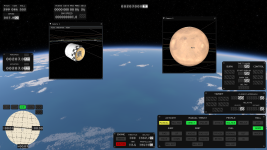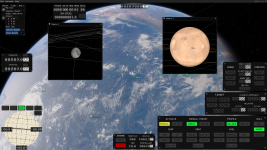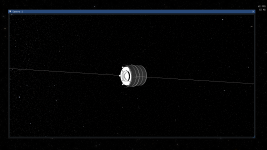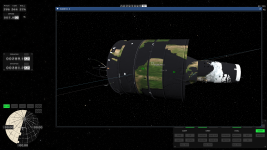
"add camera" button bugs

Dextrose

New Member
Nov 14, 2025
3
4
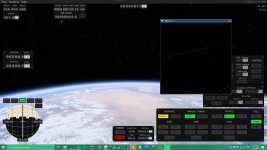
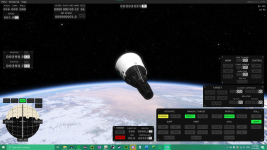
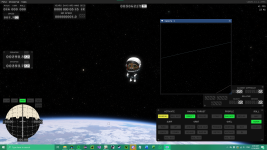
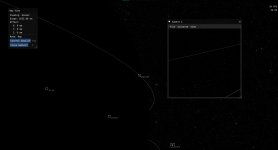
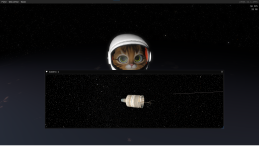
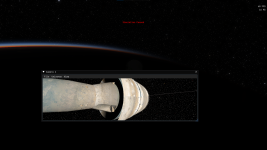
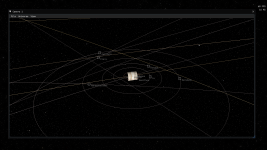
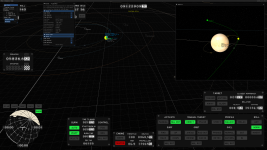
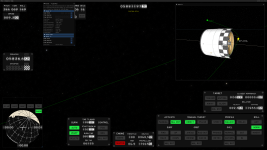
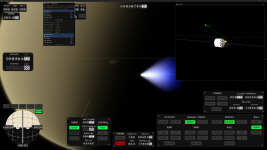
I have tried using the "Add Camera" feature, it's pretty buggy atm. What I've noticed so far:

1: When multiple cameras, including the main one, exist, all spacecraft except Hunter become invisible on all cameras. Deleting all additional cameras will make them visible again.
2: There is no apparent way to easily manipulate additional cameras, attempting to center cameras normally interferes with main camera while not getting most desired results with the additional camera.
3: Messing with extra camera to make it work often makes all HUD elements disappear, only way to bring them back is to switch maps or rockets.

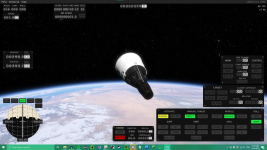
Additionally, I think some of the textures on the Moon do not match the collisions, basic rocket was clipping into the surface
 

Attachments
  • image_2025-11-14_001926070.png
    image_2025-11-14_001926070.png
    1.1 MB · Views: 0
  • image_2025-11-14_001938834.png
    image_2025-11-14_001938834.png
    1.1 MB · Views: 0
  • image_2025-11-14_001950187.png
    image_2025-11-14_001950187.png
    1.2 MB · Views: 0
  • image_2025-11-14_002012620.png
    image_2025-11-14_002012620.png
    794.8 KB · Views: 0
  • image_2025-11-14_002145596.png
    image_2025-11-14_002145596.png
    230 KB · Views: 0
Upvote 2
If you don't mind, I've got a bit more information about bug #1

When the spacecraft become invisible, if you select a celestial body on the lowest numbered camera (usually camera 1, unless you closed it), the parts from the spacecraft appear on top of it, all clipped into each other.

For example, I've zoomed in onto Luna on camera 1 in this image

Screenshot 2025-11-14 011924.png

This bug only seems to happen when the main camera is in the vessel viewing mode, however, as seen below

Screenshot 2025-11-14 011625.png

here's a link to a video of me recreating the bug from a freshly opened game
 
Additionally planets turn into parts at the right distance when viewing from a window
cpu: i5 6500
gpu: rx 5700xt
 

Attachments

  • Captura de pantalla (8).png
    Captura de pantalla (8).png
    493.4 KB · Views: 0
  • Captura de pantalla (12).png
    Captura de pantalla (12).png
    925.4 KB · Views: 0
  • jupiter2.png
    jupiter2.png
    647.7 KB · Views: 0
  • jupiter4.png
    jupiter4.png
    636.2 KB · Views: 0
  • Captura de pantalla (7).png
    Captura de pantalla (7).png
    470.2 KB · Views: 0
Very repeatable on my end, 4070 Super Ti, Ryzen9700X.

If an additional camera exist and you look at the Vessel, object in camera 1 gets replaced, by a part of the vessel and vessel turns invisible, If you are not looking at the vessel camera 1 looks normal. you can go back and forth.

If I close the camera 1 while its being replaced by a part of the vessel the game crashes out for me.

Additionally orbit manipulation nodes can be added but not manipulated in the camera 1 window, this also seem like a bug to me since the arrows do appear.
 

Attachments

  • Screenshot 2025-11-30 131314.png
    Screenshot 2025-11-30 131314.png
    4.5 MB · Views: 0
  • Screenshot 2025-11-30 131328.png
    Screenshot 2025-11-30 131328.png
    1.8 MB · Views: 0
  • Screenshot 2025-11-30 131413.png
    Screenshot 2025-11-30 131413.png
    1.9 MB · Views: 0