
tom_is_unlucky
New Member
- Dec 1, 2025
- 10
- 10
KittenExtensions 0.3.0 (KSA Build 3293)
License: MIT
Features:
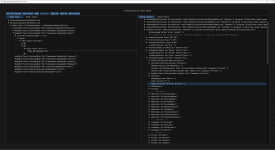
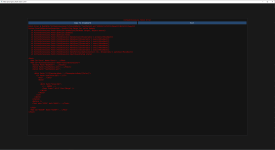
- Allows modders to write patches that alter any XML file (including in Core or other mods)
- Provides an easy mechanism for mods to add additional XML asset types
- Adds an extended shader asset that allows binding additional textures and uniform buffers to a gauge fragment shader.
- Adds an extended gauge canvas asset that allows adding a post-processing shader
- Adds an imgui shader asset that allows adding a post-processing shader to a specific imgui window
See github repo for full installation installation and usage details
Github Repo: https://github.com/tsholmes/KittenExtensions
Download: https://github.com/tsholmes/KittenExtensions/releases/latest
Requires StarMap
License: MIT
Features:
- Allows modders to write patches that alter any XML file (including in Core or other mods)
- Provides an easy mechanism for mods to add additional XML asset types
- Adds an extended shader asset that allows binding additional textures and uniform buffers to a gauge fragment shader.
- Adds an extended gauge canvas asset that allows adding a post-processing shader
- Adds an imgui shader asset that allows adding a post-processing shader to a specific imgui window
See github repo for full installation installation and usage details
Github Repo: https://github.com/tsholmes/KittenExtensions
Download: https://github.com/tsholmes/KittenExtensions/releases/latest
Requires StarMap
XML:
<Patch>
  <!-- set context to MyMod -->
  <With Path="Mod[@Id='MyMod']">
    <!-- Copy Venus from core system into custom system (assuming MySystem already exists) -->
    <Copy
      Path="System[@Id='MySystem']"
      From="/Root/Mod[@Id='Core']/System[@Id='SolSystem']/AtmosphericBody[@Id='Venus']"
      Pos="Append"
    />
    <!-- set context to the copied Venus -->
    <With Path="System/AtmosphericBody[@Id='Venus']">
      <!-- Change Id to MyVenus -->
      <Copy Path="@Id" Pos="Prepend">My</Copy>
      <!-- Make it a little heavier -->
      <Copy Path="Mass/@Earths">1</Copy>
      <!-- Remove stratus clouds -->
      <Remove Path="Clouds/CloudType[@Name='Stratus']" />
    </With>
  </With>
</Patch>
C#:
[KxAsset("ShaderEx")] // top-level asset as <ShaderEx>
[KxAssetInject(
  // use for component fragment shader as <FragmentEx>
  typeof(GaugeComponent), nameof(GaugeComponent.FragmentShader), "FragmentEx"
)]
public class ShaderEx : ShaderReference
{
  // ...
}
XML:
<Assets>
  <ShaderEx Id="MyFragmentShader" Path="MyShader.frag">
    <TextureBinding Path="Texture1.png" />
    <TextureBinding Path="Texture2.png" />
  </ShaderEx>
</Assets>
Last edited:
