• āš ļø Mod Release Rules now apply to this board.

    All mods must include a license, source code (for executable mods), and proper attribution.

    Read the full rules here before posting.

Tools KSA Mac Port

beik

Member
Messages
34
Reaction score
31
Hey everyone! šŸ‘‹

I've been working on a way to play KSA natively on a Mac, and I'd love more people to try it.

It's an unofficial community project that turns the Linux version of KSA into a regular Mac app. In a nutshell, it swaps the game's Linux libraries for their macOS versions and runs the game on .NET for Mac. On top of that there's a custom Vulkan-to-Metal driver made just for KSA, along with a bunch of optimizations to make it run smoother.

You can learn more and see how to install it here:
šŸ‘‰ https://github.com/renancamm/ksa-macos-port

Or grab the latest version directly:
ā¬‡ļø https://github.com/renancamm/ksa-macos-port/releases/latest
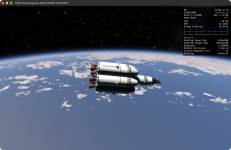
game.png

I think the port is in a pretty solid state now, both in how it looks and how it runs. Beyond getting it running natively, I've spent a lot of time on optimizations. The game's settings get a Mac Port tab with graphics presets, MetalFX upscaling and memory savings that adapt to how much RAM your Mac has. Most mods work too, through Borea.
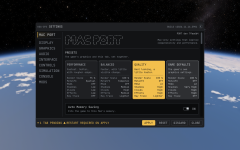
mac-port-tab.png

If you give it a try, let me know how it runs on your Mac :)

License: MIT

AI disclosure: I'm not a graphics programmer, so this project leaned heavily on Claude Code.
 
I will vouch having tested this myself that this is a very impressive and functional setup. Excellent work @beik!
 
Hi Beik,
nice job I have tested it today shortly. Worked out of the box.
Short question the oceans look a bit wierd but I guess it is normal right and nothing that can be done about it due to the Vulcan topic?
Still very nice job and thanks
greetings
Attila alias der Raketenmann

1795241874710.png
 
Hi Beik,
nice job I have tested it today shortly. Worked out of the box.
Short question the oceans look a bit wierd but I guess it is normal right and nothing that can be done about it due to the Vulcan topic?
Still very nice job and thanks
greetings
Attila alias der Raketenmann

View attachment 2560
Hey you! Thanks for trying ā˜ŗļø

- Doesn’t it look right when you are close?
- Are you using any of the presets or MetalFX?
- What is your machine?

The custom driver supports every visual feature, but because I don’t have easy access to a Windows machine, sometimes I get something wrong because I can’t easily compare.

Try these and let me know if it improves:
- Delete game settings file from Documents/…
- If on, turn off MetalFX (it add some weird ghosting sometimes)
- Switch off all optimizations from the MacPort setting tab. The game will run slow but is the closest to the original game
 
Last edited:
Great job, Beik!

Works out of the box!
One might even say that it puurs!

Getting 81 fps on planet tour benchmark with your quality preset on M5 pro
And about 40 fps with a heavy rocket at launch

Borea and all the mods i use work out of the box.

Used your mac fork of Principa [many thanks for this as well] - observe some jitter inside phys bubbles there, might be some numerical stability issues. But could be nothing to do with macos adaptation, haven't tested it with latest game build on linux.

One small feature request if you'll have the time: touchpad scroll zoom is way too fast, even when setting system-level to slowest. An override option would be great

P.S. that planet tour benchmark of yours is an eye candy, really puts the spotlight on the effort devs put into atmo, rings and terrain.
 
I’m happy to see it works well for you!

I put a lot effort into making the planet tour to look good, you have no idea how many times I had to watch it to make sure everything works as expected. The game is indeed gorgeous.

About the jitter in physics bubble, I believe the new aero goes a bit crazy when there are things failing in the atmosphere or in the sea. I added a few physics optimizations, but the true is that we need to wait for the physics bubbles to be more stable to see what the port can/should do about it.
 
Hey you! Thanks for trying ā˜ŗļø

- Doesn’t it look right when you are close?
- Are you using any of the presets or MetalFX?
- What is your machine?

The custom driver supports every visual feature, but because I don’t have easy access to a Windows machine, sometimes I get something wrong because I can’t easily compare.

Try these and let me know if it improves:
- Delete game settings file from Documents/…
- If on, turn off MetalFX (it add some weird ghosting sometimes)
- Switch off all optimizations from the MacPort setting tab. The game will run slow but is the closest to the original game
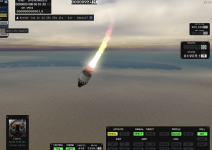
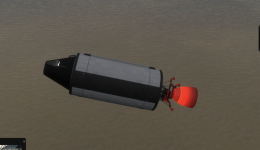
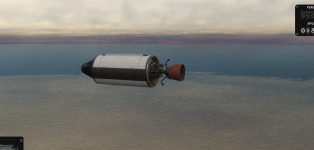
Thanks for the tips. The only problem like the water would look like super shallow. Like you could always see the ocean bottom. I have atteched 2 more screenshot when I am in the middle of the ocean. I have tried all the settings, disabled optimizations and I guess MetalFX is off...

Thanks for your great work!!!
 

Attachments

  • Greenshot 2026-11-22 17.17.13.png
    Greenshot 2026-11-22 17.17.13.png
    780.3 KB · Views: 0
  • Greenshot 2026-11-22 17.17.04.png
    Greenshot 2026-11-22 17.17.04.png
    1.8 MB · Views: 0
Back
Top