Finn Doran
New Member
- Messages
- 1
- Reaction score
- 0
Game Version
[e.g. 2026.10.25.5707]Operating System
Windows 11Hardware
- GPU NVIDIA GeForce RTX 3070 Laptop GPU- CPU: AMD Ryzen 9 5900HX with Radeon Graphics
- RAM:16.0 GB (15.4 GB usable)
Install Location
"C:\Users\USERNAME\Documents\My Games\Kitten Space Agency"What's Happening?
when the loading gets to where it says "cloud shadows renderer" it freezes and crashes a few seconds later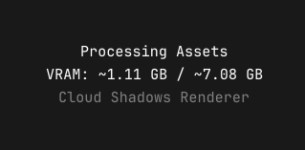
Reproduction Rate
Every LaunchAlready Tried
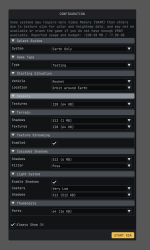
we have tried in rough order, Lowering all settings and and choosing "earth only" world, checked that GPU drivers are updated, checked logs and set custom settings for application to high performance GPU, manually turned off cloud shadows, lowered shadow quality to "Hard"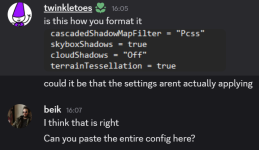
Logs
- latest crash log attached below