Game crashes at Loading Complete

Entroper

New Member
Messages
2
Reaction score
0

Game Version​

2026.10.25.5707

Operating System​

Windows 11

Hardware​

- GPU / Driver Version: RTX 4070 Ti (12 GB)
- CPU: i9-13900KS
- RAM: 64 GB

Install Location​

C:\Program Files\Kitten Space Agency

What's Happening?​

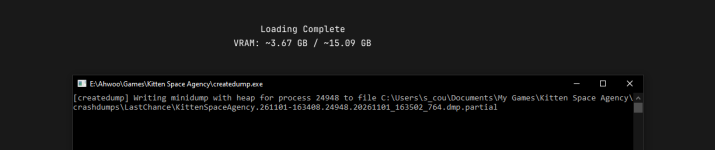
The loading screen appears, it seems to load everything, says Loading Complete for a few seconds, and then the game just closes.

Reproduction Rate​

Every launch

Already Tried​

Updated the game, updated Windows, updated graphics drivers to 621.01
I tried Sandbox and Testing modes, and I also tried loading "Earth only" instead of the whole solar system, same result
Also tried reducing texture sizes to 2K everywhere

Logs​

Attached, the relevant bit seems to be a NullReferenceException in PlanetRenderer.RenderClutterDepthNormalPrePass
 

Attachments

Hello and welcome to the forums!

Thanks for trying the usual solutions and including your logs. Hopefully the devs can take a look. In the meanwhile, based on that error, maybe you can try disabling ground clutter in your settings.toml file and then trying again. This file is under Documents/My Games/Kitten Space Agency. Open the file and set groundClutter = false.

Maybe that'll help!
 
It looks like it was already set to false. I saw groundClutterShadowCasting and groundClutterTerrainBlending were both set to true, but setting them to false didn't change anything.
 
I also seem to have had ground clutter set to false

AMD RX 9600XT
Ryzen 5900
64 GB Ram

Hardware​

- GPU / Driver Version: RTX 4070 Ti (12 GB)
- CPU: i9-13900KS
- RAM: 64 GB
C:\Program Files\Kitten Space Agency

1793551138234.png
Preparing Part Thumbnails... Complete!
checking for updates from 'http://ksa-master1.rocketwerkz.com:8082/version'
Application Initialization Complete
Unhandled exception System.NullReferenceException: Object reference not set to an instance of an object.
at KSA.PlanetRenderer.RenderClutterDepthNormalPrePass(CommandBuffer commandBuffer, IViewport inViewport, Int32 frameIndex)
at KSA.PrePassRenderer.Render(CommandBuffer commandBuffer, IViewport renderedViewport, Int32 frameIndex, SuperMeshRenderSystem superMeshRenderSystem, RaytracingRenderer raytracingRenderer)
at KSA.Program.RenderGame(AcquiredFrame frame, Double dt)
at KSA.Program.Render(Double dtPlayer, FrameResult result, AcquiredFrame acquiredFrame)
at KSA.Program.OnFrame(Double currentPlayerTime, Double dtPlayer)
at KSA.App.Run()
at KSA.Program.Main(String[] inArgs).
error reaching master server [HTTP]: No connection could be made because the target machine actively refused it. (ksa-master1.rocketwerkz.com:8082)
Failed to retrieve version information from the master server.
 
I managed to nuke the whole installation ,
I think the problem was something along the lines of a poor transition from me to normal ksa downloads to the ahwoo launcher m
Most probably, changing the location of the install during the ahwoo launcher . so cleared the lot and reinstalled the launcher and i personally have resolved this.
hope that helps
 
Back
Top