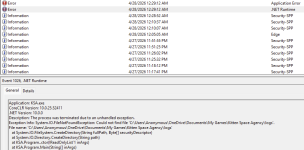
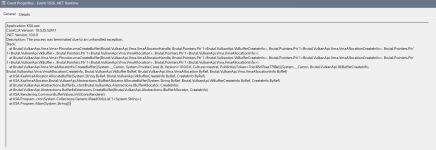
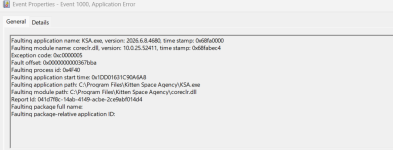
Thank you for the logs. I honestly believe that we did not have such an error before.
The game crashes in CommonBufferValues.Init, which runs at the very start of startup right after the renderer is created, before the loading screen or the graphics setup popup even appear and the main graphic loading work is done, so "too much VRAM" not be the issue. The first thing it does there is allocate a tiny GPU buffer, and that allocation is what fails (vmaCreateBuffer).
I would to the following since it is the only thing that comes to mind:
1. Clean-install your NVIDIA driver
Download the latest Game Ready driver from
https://www.nvidia.com/drivers , and during install choose "Custom" -> tick "Perform a clean installation". If you want to be thorough, use DDU (Display Driver Uninstaller) in Safe Mode first, then install fresh.