UriahGnu
Member
- Nov 14, 2025
- 53
- 55
Installation:
- Download the latest release of StarMap, follow the instructions to install until you are able to launch KSA from StarMap.exe
- Download the latest release of ModMenu
- Unzip both ModMenu and AircraftHUD into your Kitten Space Agency\Content folder
- Open manifest.toml and add the lines below to enable both mods
- Always launch KSA using StarMap.exe!
[[mods]]
id = "ModMenu"
enabled = true
Source Code:[[mods]]
id = "AircraftHUD"
enabled = true
Not available on GitHub until final v1.0 release, but here's a ZIP for now to comply with the rules for now: AircraftHUD_v0.1.5_source.zip
License: MIT
Credits
Also, thanks to the many community members who helped and contributed to making this mod possible in one way or another, including:
- Lexi for making the original KSAModLoader
- KlaasWhite for making and maintaining StarMap
- MrJeranimo for making ModMenu
- Dejvid for making the Avionics mod, invaluable for initial code reference
- tom_is_unlucky, Pimiento and others for helping to solve some issues
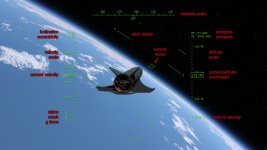
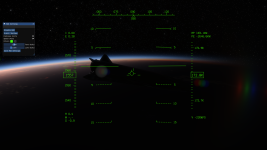
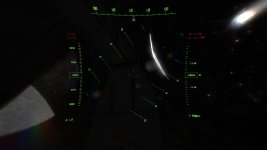
- HUD renders even when the rest of the UI is hidden, this is intended
- Use the Mod dropdown menu to toggle the HUD on/off, and access the Settings menu
- The HUD is responsive to resolution and aspect ratio, so it should work for HD/2K/4K resolutions, the line and text size scaled with vertical resolution
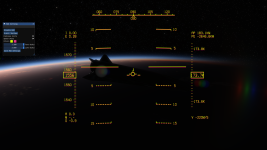
- Color, text and line scale customization (more coming)
- Save HUD Settings button writes to hud.ini to save your preferences
- The HUD is only rendered below 1,000 km altitude currently
- Roll does not align to the world except in Chase camera mode, this is intended for now
- Align roll to horizon in any camera orbit mode
- Possibly integrate with other mods in the future such as Avionics
- Let me know if you have any suggestions/ideas!

Last edited: