Density/Luminosity Threshold slider for star map + Background light-based star map

jaxx050

New Member
Nov 14, 2025
10
8
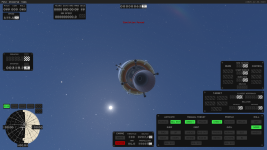
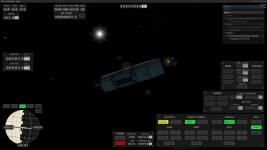
With the star map, you have a binary choice of either on or off, either a massive star map with nearly every star in the night sky, or total pitch blackness. While it's technically realistic since there's no obstructive atmosphere to see stars, it's also somewhat jarring to have the entire sky covered with stars for people who might want a less busy background. So, adding a slider that starts removing star pinpoints based on their luminosity from lowest to highest, so if someone wants to, they can have only the brightest stars in the sky instead of all or none.

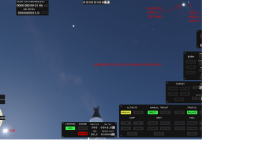
Pairing with this, having your craft/camera view be in view of the sun vs being obscured by a celestial body would affect your star visibility to some degree, with being in very bright light making it harder to see low luminosity stars, but being in pitch black letting you see everything clearly.
 
  • Like
Reactions: Kraken
Upvote 3
The real issue is that the relative brightnesses of stars are not accurate, they're compressed into a very small range. In reality, most of those stars should be either invisible or barely visible, atmosphere or no.
 
The real issue is that the relative brightnesses of stars are not accurate, they're compressed into a very small range. In reality, most of those stars should be either invisible or barely visible, atmosphere or no.
Yeah, but you're also playing against player expectations when making that star map, people expect to see massive amounts of stars in space. Hence, having a wide variety of options of either unrealistically many depending on the situation, realistic depending on circumstance, or just none.
 
Turns out the star map can be modified with little effort, perhaps not to the specific desires of everyone, but the provided tools go a long way.

\Kitten Space Agency\Content\Sample\star_import_manifest.toml :

# STAR SAMPLE MANIFEST
# used with the 'generatestarbinary' command
# must be named the same as the imported file, but with TOML extension
# below is formatted data for import of the HEASARC hip_main.dat from the ESA
starScale = 8 # overall scale value for stars
[brightness]
magnitudeScale = 0.13 # tune this smaller for tighter spread, larger for more extreme differences
magnitudeOffset = 0.5 # tune this offset to shift overall brightness
dimStart = 2.0 # when brightness is below this, start dimming the star
dimEnd = 0.0 # lowest dimming value
....

I got hip_main.dat from https://cdsarc.cds.unistra.fr/ftp/cats/I/239/

make copy of star_import_manifest.toml, rename to hip_main.toml
have both hip_main.dat and hip_main.toml in \Kitten Space Agency\Content\Sample\
modify the configurables in hip_main.toml, save
start KSA

in-game console command (open with backslash key):
generatestarbinary "driveletter:\path...\Kitten Space Agency\Content\Sample\hip_main.dat"
(must include the quotation marks)

It produces hip_main.bin in \Kitten Space Agency\Content\Sample\
copy hip_main.bin to \Kitten Space Agency\Content\Core\ (make backup of the original hip_main.bin)

The console will tell how many stars were generated. hip_main.toml can be modified and the command executed again (Up arrow key) without leaving the game.
To see the result the generated hip_main.bin must be copied to game's \Content\Core\ directory, and the game restarted.
By default a bit over 100,000 stars are generated. The unaided eye can see about 5000 stars in the nightsky under good conditions. That's one hemisphere so 10,000 stars would be realistic.

I suspect that the visible Sun is also generated from the star database and gets the same scaling treatment as all the other stars, which result in a Sun that's imo too small. Bright stars can be made larger but that results in a lot of oversized stars with little effect on the size of Sun.
 
Last edited:
I suspect that the visible Sun is also generated from the star database and gets the same scaling treatment as all the other stars, which result in a Sun that's imo too small. Bright stars can be made larger but that results in a lot of oversized stars with little effect on the size of Sun.
The Sun is an object in the system, its size in the sky depends solely on your distance from it. Its angular size from Earth is around 0.5°, so with the default 50° FOV, it would have a diameter of ~11 pixels on a screen 1080 pixels tall.
 
I can see stars from Venus surface, so I suspect star/atmo interactions are not just magnitudes issue.
 
Hm, some coordinate resolution parameter somewhere must be off, tried generating from hip_main.dat, tot this:
1772221013079.png
 
When I try to generate the star binary in Windows, the game closes. There is no bin file generated.

Log file (simplified for visual cleanness) :
12:48:31.298 INFO loading stars from C:\Program Files\Kitten Space Agency\Content\Sample\hip_main.dat
12:48:31.307 ERROR Unhandled exception System.Exception: Error in Window.OnKey callback

---> System.Reflection.TargetInvocationException: Exception has been thrown by the target of an invocation.
---> System.UnauthorizedAccessException: Access to the path 'C:\...\Kitten Space Agency\...\hip_main.bin' is denied.
[...]
at System.IO.File.OpenWrite(String path)
at KSA.ModLibrary.GenerateStarBinary(String localPath)

So basically some OS restricts write access to "C:\Program Files\Kitten Space Agency\Content\Sample"

So there is two solutions :
  1. Change access rights by right-clicking on the "C:\Program Files\Kitten Space Agency\Content\Sample" directory, selecting "Properties" in the popup menu, going to "Security" tab, and modify the access rights of the "Users" group to "Full Control". You could also need to uncheck the "Read-only" attribute of the directory, if set.

  2. You can also copy the "hip_main.dat" and "hip_main.toml" to another non-restricted directory like "My Documents" and call the function in the KSA console with the new path : generatestarbinary "C:\Users\<username>\Documents\hip_main.dat" (you must figure the real path of "My documents" directory yourself). Then move the generated file to KSA directory as stated in the original solution (an admin permission may be needed to move the file).
Following this, the generation succeeds... but the loading screen indicates the stars are loaded from "briars_binary_dimmer_better_99k_stars.bin" instead of "hip_main.bin" (at least in the most up-to-date version of KSA) so i had to rename the new file to "briars_binary_dimmer_better_99k_stars.bin" (after adding ".old" to the old "briars" file). There could be a config file somewhere to force stars loading from "hip_main.bin" but i did not find it yet.

To get approximately 10000 stars, i changed this setting :
magnitudeScale = 0.203 # Original value 0.13.
 
Last edited:
So basically I experimented with a lot of settings, and whatever i change, stars are still visible in plain day. So the star generation just change the number of stars that "can be seen with naked eye" in the game, but it does not change the "ability to see them during the day". If i set values low enough so they can "barely" be seen during the day, then maybe only a dozen of stars would be generated and i would still see only a dozen in space.

Also, i find the brightest stars "too big". There is the center pixels that are white that i condider being the "surface of the star" and then the "gradient" of diffraction around it that are just optical aberrations in the "eye". For the brightest stars, i can measure a surface diameter of around 12 pixels, and the sun is 30 pixels wide... I would expect maximum 3 OR 4 pixels like in this image :

1785438450856.png
 
Last edited: