
Bodey Farfour
New Member
- May 16, 2026
- 1
- 0
Game Version
KSA v2026.5.7.4397Operating System
[Windows 10]What Happened
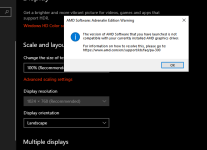
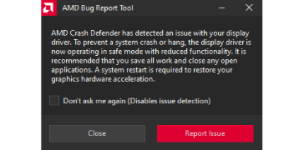
When launching the game (v2026.5.7.4397) on an AMD GPU, the game initializes but triggers a some sort of system/driver crash while building a craft. The computer stays on but there is no more display output, after restarting the computer windows resolution is locked to 1024x768 and the current install of AMD Adrenalin reports that the drivers are "out of date" or failed to load, when doing a reinstall from the website the installer lists the current drivers as damaged. Both times it was fixed with a driver re-install and restart.Reproduction Steps
I only have a rough idea as its only happened twice and repeating it requires re-installing drivers but both times have been right after right clicking and deleting a part but not every time I have deleted a part, no idea if its linked to the issue as it could be coincidence.Reproduction Rate
Has happened the only two times I have opened the game.Additional Info
Specs:
Ryzen 7 5700x
32gb ddr4
RX 6750xt 12gb
Found in windows event viewer:
CoreCLR Version: 10.0.25.52411
.NET Version: 10.0.0
Description: The process was terminated due to an unhandled exception.
Exception Info: Brutal.VulkanApi.VkResultError: Vulkan call to vkQueueSubmit failed with error: VK_ERROR_DEVICE_LOST
at Brutal.VulkanApi.Abstractions.QueueExtensions.Submit(Queue queue, Span`1 waitSemaphores, Span`1 waitDstStageMask, Span`1 commandBuffers, Span`1 signalSemaphores, VkFence fence)
at Core.CommandBufferPool.SubmitFinalize(Queue queue, VkPipelineStageFlags waitStageFlags, Int32 frameIndex)
at KSA.Program.Render(Double dtPlayer, FrameResult result, AcquiredFrame acquiredFrame)
at KSA.Program.OnFrame(Double currentPlayerTime, Double dtPlayer)
at KSA.App.Run()
at KSA.Program.Main(String[] inArgs)
Upvote
1


