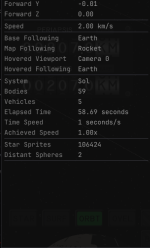
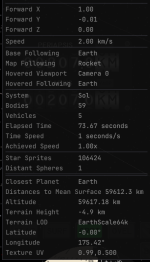
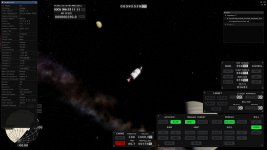
I get this same problem
on Windows.
What Happened
Same as OP.
What Was Expected
Same as OP.
Reproduction Steps
Same as OP.
Reproduction Rate
Always
Additional Info
- KSA Version
2026.6.6.4601
- Windows 11
- AMD 7900 XTX with most recent drivers
- 26.10.19.02-260521a-201164C-AMD-Software-Adrenalin-Edition
- AMD Windows Driver Version: 32.0.31019.2002
- Intel i9-13900k w. 32GB of RAM
- Also reproducible using the
ultra low settings, i.e. with atmosphere and oceans off
Notable .NET runtime crash logs from Windows event viewer:
```
Application: Brutal.Monitor.Subprocess.exe
CoreCLR Version: 10.0.25.52411
.NET Version: 10.0.0
Description: The process was terminated due to an unhandled exception.
Exception Info: System.AggregateException: One or more errors occurred. (An error occurred trying to start process 'dotnet-dump.exe' with working directory 'C:\Users\xxx\Documents\My Games\Kitten Space Agency\crashdumps\LastChance'. The system cannot find the file specified.)
---> System.ComponentModel.Win32Exception (2): An error occurred trying to start process 'dotnet-dump.exe' with working directory 'C:\Users\xxx\Documents\My Games\Kitten Space Agency\crashdumps\LastChance'. The system cannot find the file specified.
at System.Diagnostics.Process.StartWithCreateProcess(ProcessStartInfo startInfo)
at System.Diagnostics.Process.Start(ProcessStartInfo startInfo)
at Brutal.Monitor.Subprocess.Collector.CollectSync(String folder, DumpType dumpType, CancellationTokenSource cancellationToken)
at Brutal.Monitor.Subprocess.Collector.<>c__DisplayClass12_0.<Collect>b__0()
at System.Threading.Tasks.Task`1.InnerInvoke()
at System.Threading.ExecutionContext.RunFromThreadPoolDispatchLoop(Thread threadPoolThread, ExecutionContext executionContext, ContextCallback callback, Object state)
--- End of stack trace from previous location ---
at System.Threading.ExecutionContext.RunFromThreadPoolDispatchLoop(Thread threadPoolThread, ExecutionContext executionContext, ContextCallback callback, Object state)
at System.Threading.Tasks.Task.ExecuteWithThreadLocal(Task& currentTaskSlot, Thread threadPoolThread)
--- End of inner exception stack trace ---
at System.Threading.Tasks.Task.ThrowIfExceptional(Boolean includeTaskCanceledExceptions)
at System.Threading.Tasks.Task.Wait(Int32 millisecondsTimeout, CancellationToken cancellationToken)
at Brutal.Monitor.Subprocess.Collector.Collect(String folder, DumpType type)
at Brutal.Monitor.Subprocess.Collector.CollectLastChance()
at Brutal.Monitor.Subprocess.Subprocess.Run()
at Brutal.Monitor.Subprocess.Subprocess..ctor(Process parentProcess)
at Brutal.Monitor.Subprocess.Program.Main(String[] args)
```
```
Application: KSA.exe
CoreCLR Version: 10.0.25.52411
.NET Version: 10.0.0
Description: The process was terminated due to an unhandled exception.
Exception Info: Brutal.VulkanApi.VkResultError: Vulkan call to vkQueueSubmit failed with error: VK_ERROR_DEVICE_LOST
at Brutal.VulkanApi.Abstractions.QueueExtensions.Submit(Queue queue, Span`1 waitSemaphores, Span`1 waitDstStageMask, Span`1 commandBuffers, Span`1 signalSemaphores, VkFence fence)
at Core.Renderer.TrySubmitFrame(Span`1 additionalWaitSemaphores, Span`1 additionalWaitStages, Span`1 additionalSignalSemaphores)
at KSA.Program.PostRender(Double dtPlayer)
at KSA.Program.OnFrame(Double currentPlayerTime, Double dtPlayer)
at KSA.App.Run()
at KSA.Program.Main(String[] inArgs)
```