Maxi
Member
- Oct 17, 2025
- 151
- 100
AdvancedFlightComputer adds maneuver planning tools to KSA's Transfer Planner: quick-tools for common orbital maneuvers, multi-pass burn splitting for Oberth-efficient departures, and support for targeting interstellar comets on hyperbolic orbits.
Features
Maneuver Quick-Tools
New plan types in the stock Transfer Planner dropdown:
Multi-Pass Burns
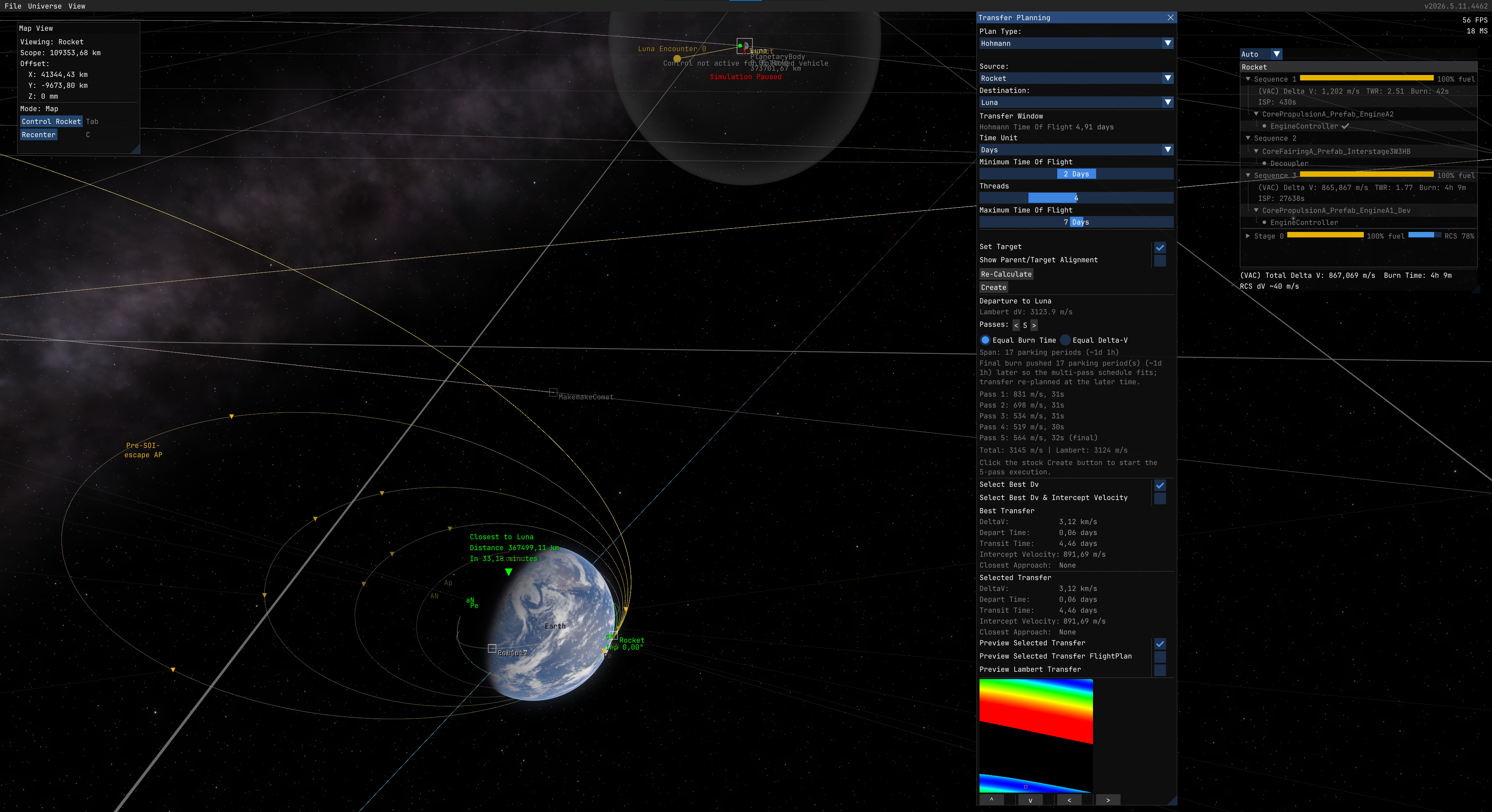
Split any planned burn into multiple passes across successive orbits to reduce finite-burn loss. Instead of one long burn that sweeps a large arc away from periapsis, the engine fires in shorter bursts near periapsis on each orbit. This is the same technique used by real missions for e.g. lunar kick stages that perform multiple perigee burns over several days to gradually raise their orbit before the final trans-lunar injection.
Supports Hohmann departures, apse burns (Set Pe/Ap), inclination changes, and circularize. Includes a 3D orbit preview with per-pass markers, automatic execution via Auto burn mode, and an inline pass list showing remaining dV and burn time.
Particularly useful for low-TWR spacecraft (ion engines, small kick stages, nuclear tugs) where a single departure burn would spend too long thrusting away from periapsis.
Works best together with AutoStage and AutoRemoveFinishedBurns for hands-free multi-pass execution.
Hyperbolic Targets
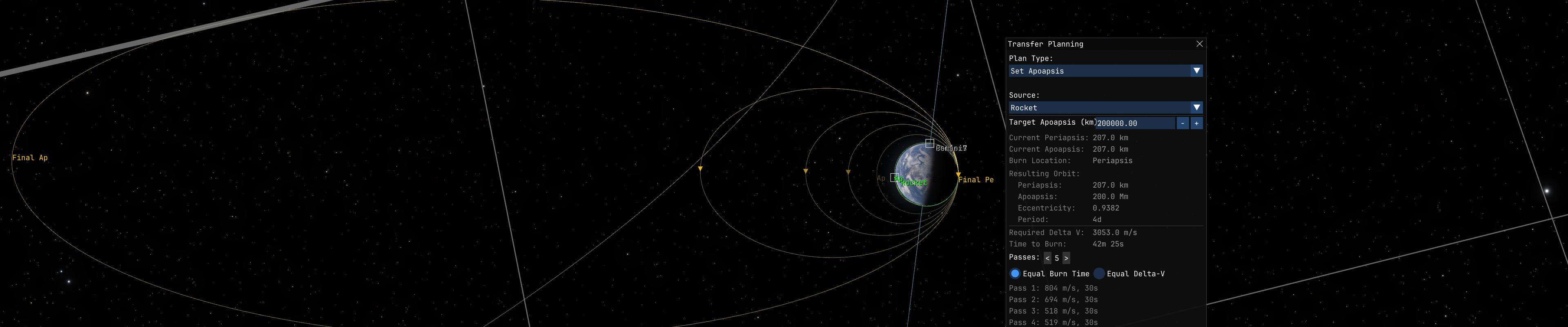
The stock Transfer Planner filters out bodies with eccentricity >= 1. This mod lets it target interstellar comets (Oumuamua, 2I/Borisov, 3I/ATLAS) by patching the planner's time-of-flight and alignment math to handle unbound orbits.
Installation
License: MIT
Source: GitHub
Download: Releases | SpaceDock
Dependencies: StarMap (required), KittenExtensions (only for Hyperbolic Targets feature)
Features
Maneuver Quick-Tools
New plan types in the stock Transfer Planner dropdown:
- Set Periapsis / Set Apoapsis - single burn at the opposite apse to raise or lower one apse to a target altitude.
- Match Inclination - plane-change burn at AN or DN to align with a target orbit's plane.
- Set Inclination - plane-change burn at AN or DN to set an absolute inclination angle. Reference plane selectable: Ecliptic or Equatorial.
Multi-Pass Burns
Split any planned burn into multiple passes across successive orbits to reduce finite-burn loss. Instead of one long burn that sweeps a large arc away from periapsis, the engine fires in shorter bursts near periapsis on each orbit. This is the same technique used by real missions for e.g. lunar kick stages that perform multiple perigee burns over several days to gradually raise their orbit before the final trans-lunar injection.
Supports Hohmann departures, apse burns (Set Pe/Ap), inclination changes, and circularize. Includes a 3D orbit preview with per-pass markers, automatic execution via Auto burn mode, and an inline pass list showing remaining dV and burn time.
Particularly useful for low-TWR spacecraft (ion engines, small kick stages, nuclear tugs) where a single departure burn would spend too long thrusting away from periapsis.
Works best together with AutoStage and AutoRemoveFinishedBurns for hands-free multi-pass execution.
Hyperbolic Targets
The stock Transfer Planner filters out bodies with eccentricity >= 1. This mod lets it target interstellar comets (Oumuamua, 2I/Borisov, 3I/ATLAS) by patching the planner's time-of-flight and alignment math to handle unbound orbits.
Installation
- Install StarMap (required) and KittenExtensions (only for Hyperbolic Targets feature).
- Download from GitHub Releases or SpaceDock.
- Extract into
Documents\My Games\Kitten Space Agency\mods\AdvancedFlightComputer\. - The game auto-discovers new mods on next launch.
License: MIT
Source: GitHub
Download: Releases | SpaceDock
Dependencies: StarMap (required), KittenExtensions (only for Hyperbolic Targets feature)
Last edited: