Always on top, even when setting is disabled

Dextrose

New Member
Nov 14, 2025
3
6
when in fullscreen mode, KSA is always on top and you cannot access what is behind it without changing it to windowed mode first. Always on top setting is off by default but I tried enabling it then disabling it but this did not resolve the issue.
 
Upvote 7
When the game is in borderless, the game respect it and alt-tab work (things get ontop of the game), EXCEPT the settings window ; these always stay ontop, weird.

btw you should use borderless, fullscreen exclusive is pretty much dead and useless in 2025 on a modern OS
 
I don't have discord, and the threads on KSP Forums and this Forum don't have any download links. Where else am I meant to ask for a download link?
 
Last edited:
I noticed this behaviour also, in addition when set to Borderless I can alt-tab, BUT the taskbar is still showing at the bottom of the screen. Running Windows 11
 
  • Like
Reactions: Dextrose
Detachable windows dragged to other screens also stay on top always, regardless of their, and game setting.
 
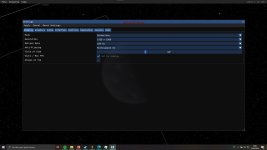
This problem is still not fixed. I just downloaded the new v2026.4.10.4057 installed it fresh on Win10, on the same path as the default, but on another drive. It launched after installing and then, boom, unable to tab out from startup. I went to the settings and changed display to borderless and then it finally allowed me to tab out, but then the windows taskbar is showing as the other people are saying. Strangely Alt+Enter changes display into fullscreen again, but pressing Alt+Enter again does not switch back to borderless
 

Attachments

  • Captura de pantalla 2026-04-12 180122.jpg
    Captura de pantalla 2026-04-12 180122.jpg
    185.4 KB · Views: 0
Last edited: