game unable to start

Hey! I'd like to help you but i need a bit more info:

1. What happens exactly when you try to start?
2. Where is the game installed? (e.g. C:\Program Files\... or somewhere else)
3. What's your hardware and Operating System? (GPU, CPU, RAM, Windows/Linux)
4. Check for logs in C:\Users\YourName\Documents\My Games\Kitten Space Agency\Logs\ . Does the directory exist? If yes: what are the contents of the log file?
5. If the logs file is empty: check Windows Event Viewer (Win+R > eventvwr > Windows Logs > Application > "Find" (on the right side panel of the window if you are using windows 10) -> KSA") for entries with source ".NET Runtime" or "Application Error" around the time you tried to launch

There's also a list of known issues on the forum: https://forums.ahwoo.com/forums/ksa-bug-reports.15/ and https://forums.ahwoo.com/forums/technical-support.6/
Please check if you can find threads similar to your problem for a solution.

In the meantime it would be good if you could re-post this thread in the appropiate Forum https://forums.ahwoo.com/forums/technical-support.6/ (of if @Terra Incognita could move it. :) )
 
  • Like
Reactions: unfunnyman
Hey! I'd like to help you but i need a bit more info:

1. What happens exactly when you try to start?
2. Where is the game installed? (e.g. C:\Program Files\... or somewhere else)
3. What's your hardware and Operating System? (GPU, CPU, RAM, Windows/Linux)
4. Check for logs in C:\Users\YourName\Documents\My Games\Kitten Space Agency\Logs\ . Does the directory exist? If yes: what are the contents of the log file?
5. If the logs file is empty: check Windows Event Viewer (Win+R > eventvwr > Windows Logs > Application > "Find" (on the right side panel of the window if you are using windows 10) -> KSA") for entries with source ".NET Runtime" or "Application Error" around the time you tried to launch

There's also a list of known issues on the forum: https://forums.ahwoo.com/forums/ksa-bug-reports.15/ and https://forums.ahwoo.com/forums/technical-support.6/
Please check if you can find threads similar to your problem for a solution.

In the meantime it would be good if you could re-post this thread in the appropiate Forum https://forums.ahwoo.com/forums/technical-support.6/ (of if @Terra Incognita could move it. :) )
well for starters, when trying to run the executable, nothing happens, really. The busy badge (blue buffering circle) would show on the pointer before shortly disappearing, not even showing up on task manager. KSA had been installed locally (in Program Files)

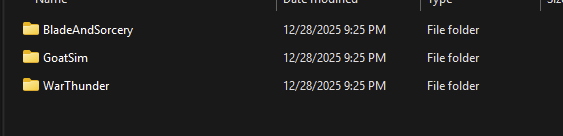
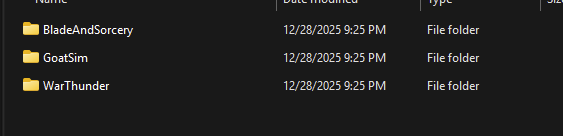
1777354027178.png KSA doesn't exist anywhere in OneDrive (attached photo is showing My Games) and I am unsure if there are any alternate directories the log files could be hiding at. I am running Windows 11 Home Edition 25H2 on an x64 UEFI bios with an x570s aorus pro ax motherboard, an rtx 3070, 16gb ddr4(?) physical ram, and an 8-core AMD Ryzen 5800x3d capable of 3.4mhz.

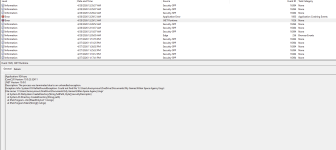
while digging on event viewer and typing this reply i finally connected the dots.

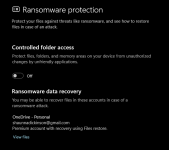
1777355132054.png1777355451107.png windows defender had controlled folder access on, blocking file creation and modification by other programs which prevented KSA from starting up. the game starts now, thanks for your help!
 

Attachments

  • 1777352293890.png
    1777352293890.png
    9.8 KB · Views: 0
  • Like
Reactions: Terra Incognita