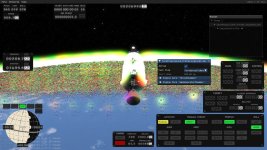
Intallation on debian 13 ...
wget
https://packages.microsoft.com/config/debian/13/packages-microsoft-prod.deb
sudo dpkg -i packages-microsoft-prod.deb
#this installs a microsoft repository
sudo apt update
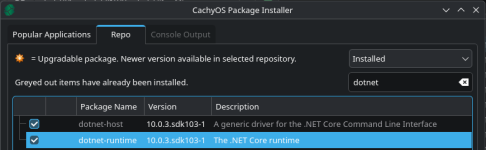
sudo apt install dotnet-runtime-10.0
#this installs dotnet-runtime-10.0 from the microsoft repository
#doesn't feel great tainting debian with microsoft stuff
KSA didn't find vulkan on debian 13:
-----------------------------------------------------------------
~/Games/ksa3640/linux-x64$ ./KSA
21:36:33 ERROR Unhandled exception System.TypeInitializationException: The type initializer for 'Brutal.VulkanApi.Vulkan' threw an exception.
---> System.DllNotFoundException: Unable to load shared library 'vulkan' or one of its dependencies. In order to help diagnose loading problems, consider using a tool like strace. If you're using glibc, con
sider setting the LD_DEBUG environment variable:
/home/bernhard/Games/ksa3640/linux-x64/vulkan.so: cannot open shared object file: No such file or directory
/usr/share/dotnet/shared/Microsoft.NETCore.App/10.0.3/vulkan.so: cannot open shared object file: No such file or directory
/home/bernhard/Games/ksa3640/linux-x64/libvulkan.so: cannot open shared object file: No such file or directory
/usr/share/dotnet/shared/Microsoft.NETCore.App/10.0.3/libvulkan.so: cannot open shared object file: No such file or directory
/home/bernhard/Games/ksa3640/linux-x64/vulkan: cannot open shared object file: No such file or directory
/usr/share/dotnet/shared/Microsoft.NETCore.App/10.0.3/vulkan: cannot open shared object file: No such file or directory
/home/bernhard/Games/ksa3640/linux-x64/libvulkan: cannot open shared object file: No such file or directory
/usr/share/dotnet/shared/Microsoft.NETCore.App/10.0.3/libvulkan: cannot open shared object file: No such file or directory
at System.Runtime.InteropServices.NativeLibrary.LoadLibraryByName(String libraryName, Assembly assembly, Nullable`1 searchPath, Boolean throwOnError)
at Brutal.VulkanApi.Vulkan..cctor()
--- End of inner exception stack trace ---
at Brutal.VulkanApi.Vulkan.get_GetInstanceProcAddr()
at KSA.Program..ctor(IReadOnlyList`1 inArgs)
at KSA.Program.Main(String[] inArgs).
Unhandled exception. System.TypeInitializationException: The type initializer for 'Brutal.VulkanApi.Vulkan' threw an exception.
---> System.DllNotFoundException: Unable to load shared library 'vulkan' or one of its dependencies. In order to help diagnose loading problems, consider using a tool like strace. If you're using glibc, con
sider setting the LD_DEBUG environment variable:
/home/bernhard/Games/ksa3640/linux-x64/vulkan.so: cannot open shared object file: No such file or directory
/usr/share/dotnet/shared/Microsoft.NETCore.App/10.0.3/vulkan.so: cannot open shared object file: No such file or directory
/home/bernhard/Games/ksa3640/linux-x64/libvulkan.so: cannot open shared object file: No such file or directory
/usr/share/dotnet/shared/Microsoft.NETCore.App/10.0.3/libvulkan.so: cannot open shared object file: No such file or directory
/home/bernhard/Games/ksa3640/linux-x64/vulkan: cannot open shared object file: No such file or directory
/usr/share/dotnet/shared/Microsoft.NETCore.App/10.0.3/vulkan: cannot open shared object file: No such file or directory
/home/bernhard/Games/ksa3640/linux-x64/libvulkan: cannot open shared object file: No such file or directory
/usr/share/dotnet/shared/Microsoft.NETCore.App/10.0.3/libvulkan: cannot open shared object file: No such file or directory
at System.Runtime.InteropServices.NativeLibrary.LoadLibraryByName(String libraryName, Assembly assembly, Nullable`1 searchPath, Boolean throwOnError)
at Brutal.VulkanApi.Vulkan..cctor()
--- End of inner exception stack trace ---
at Brutal.VulkanApi.Vulkan.get_GetInstanceProcAddr()
at KSA.Program..ctor(IReadOnlyList`1 inArgs)
at KSA.Program.Main(String[] inArgs)
Aborted
--------------------------------------------------------------------------------------
gpt-oss-20B suggested:
sudo ldconfig -p | grep vulkan
libvulkan.so.1 (libc6,x86-64) => /lib/x86_64-linux-gnu/libvulkan.so.1
libvulkan.so.1 (libc6) => /lib/i386-linux-gnu/libvulkan.so.1
libgstvulkan-1.0.so.0 (libc6,x86-64) => /lib/x86_64-linux-gnu/libgstvulkan-1.0.so.0
Then either
cd ~/Games/ksa3640/linux-x64
ln -s /lib/x86_64-linux-gnu/libvulkan.so.1 libvulkan.so
or
export LD_LIBRARY_PATH=/lib/x86_64-linux-gnu:$LD_LIBRARY_PATH
./KSA
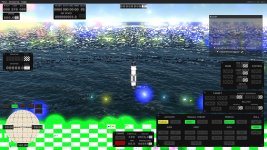
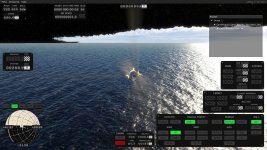
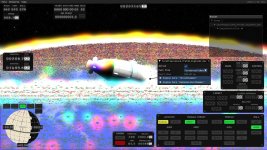
I did the former and it works.