One True Linux Thread™

Success! (sort of).
With potato config by @The Real Snake and in Labwc with no other GPU-using apps running KSA starts successfully!

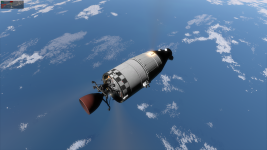
10 FPS, no planets or stars visible, just the HUD and vessels with all the plume effects.

4GB seems to be the magic number on this iGPU.
 
  • Like
Reactions: aeirvx
@Crasher_Chunk asked in another thread:

How did you get kitten space agency to install on linux? Did you make a custom installer?

I'll answer here to not hijack the other thread:

I used Lutris. Add Proton or wine under settings/starter/wine (the symbol to the right of 'wine').
Then select the plus sign on the top left of the main window. 'Install Windows game from an executable'. Add a name for the new game (Kitten Space Agency comes to mind), select a location to install to and then select the downloaded KSA installer.
Select the installed game, on the bottom next to 'Play game' there is another symbol, click it and select 'Winetricks'. In winetricks select 'standard prefix', 'Install windows-dll', 'dotnetdesktop9'.
Then try to start the game. For me it worked flawless. I reduced some texture sizes and most settings to medium to reduce stress on the gpu. But it also worked on max settings. There were no texture errors and no crashes yet (several landings on earth and moon).
 
Last edited:
  • Like
Reactions: Dalk
DistroVGPUDERunnerConfigReport
OpenSUSE TumbleweedN4070X11, gnomeLutris(proton-ge)install dotnet with wineworks
 
Early days yet, but running very nicely at 4k. Like others have said, I had to install dot net. Sometimes on load. I seem to go to full screen at 1080 or something, but usually changing screen mode fixes that. It'll be lovely to have this in Bazaar and Steam as a native app, although I've no idea how possible it will be.
Screenshot_20251117_121445.png

System details:
CPU: Intel Core i9-12900k
GPU: NVIDIA 3080-ti
RAM: 64 G
OS: Bazzite
Runner: Lutris (GE-Proton [latest]
 
DistroCPUGPUDERunnerConfig
ArchRyzen 9 7950X3DRTX 4090Wayland, HyprlandSteam (proton-ge)install dotnet9desktop with protontricks

Works pretty well do have some stability issues if I try to move the window or leave fullscreen the performance dies. I also tried using
Code:
PROTON_ENABLE_WAYLAND=1
which did work just instead of the performance lowering when I tried to move the window it would now instead hard crash.

 
a5000m, i9 11th gen, got it to run on steam as a non-steam game on Proton experimental.

A solid 20-25 fps.

With that install it won't have the required windows deps (https://dotnet.microsoft.com/en-us/....0.11-windows-x64-installer?cid=getdotnetcore) , so itll make you download and install that as well, do that by changing the target on the non-steam game so it ends up in the proper prefix with it, then switch to the executable that's buried like 15 layers deep via steamapps/common/blah

Im using x11 and not wayland.

New update giving a solid 20-25 still.
 
Last edited:
I figured why I couldn't make it work in Lutris... I had this problem where game complained about missing .net despite the fact I installed it in the prefix. It turns out that I had Linux .net installed, and the exported DOTNET_ROOT broke everything (╯°□°)╯︵ ┻━┻
 
I figured why I couldn't make it work in Lutris... I had this problem where game complained about missing .net despite the fact I installed it in the prefix. It turns out that I had Linux .net installed, and the exported DOTNET_ROOT broke everything (╯°□°)╯︵ ┻━┻
Yeah, env vars affecting windows apps in wine is a huge gotcha. Got bitten by SDL_VIDEODRIVER in another game (was among other wayland-related vars in my usual environment).
 
DistroVGPUDERunnerConfigReport
KubuntuARX7800XTWayland, PlasmaSteamProton 10.0-3Launches, very good performance, but no terrain, only water.
 
Followed "Jov's Gaming Lounge" succinct YouTube video on "Installing Games on Linux With Lutris" to get my Lutris and Wine install correct (make sure you finish the WineHQ install before you install Lutris).

Downloaded the KSA script from Lutris.net.

Edited the YAML script's dotnet9 entry to dotnetdesktop9 (as stipulated in Heightmare's Discord video).

Downloaded the setup_ksa_v*.exe

Install KSA:

Lutris > Add Game > Install from a local install script. Follow the instructions - apparently, any error(s) can be ignored.

Update KSA:

Download new setup_ksa_v*.exe

Move the existing KSA folder (backup):

mv "/path/to/Prefix/Directory/drive_c/Program Files/Kitten Space Agency" \
"/path/to/Prefix/Directory/drive_c/Program Files/KSA_old"

Run KSA's setup.exe with Wine inside the existing prefix.

WINEPREFIX="/path/to/KSA/Prefix/Directory" wine /path/to/setup_ksa_v*.exe

DistroGPUDisplayRunnerConfigReport
Linux Mint 22.1RTX 2060 SuperX11Lutris (GE-Proton10-25)dotnetdesktop9 (edited KSA YAML script from Lutris.net)The Transfer Planner window appears as a separate window; run KSA borderless to work around.
Works, better than as a non-Steam game.

CPU: i7-7700
RAM: 32 GB
 
Last edited:
DistroVGPUDERunnerConfigReport
ArtixA6600Wayland, niriBottleswine-staging (10.19), install dotnetcoredesktop9 via bottles dependencies, override icu.dll to Native (Windows).Works. Flicking of Earth's surface in full screen (solved by toggling anti-aliasing). Some menus such as flight planner hidden when ran in full screen.
 
I installed KSA on debian trixie like this:

Download the installer from https://ahwoo.com/store/KPbAA1Au/kitten-space-agency , e.g.
setup_ksa_v2025.11.8.2847.exe (1.5 GB)
apt install lutris (as root or with sudo)
Start lutris. Wait till it's done downloading/installing some things.
On https://lutris.net/games/kitten-space-agency/ click install (maybe check the script for malware first)
select the installer (setup_ksa_v2025.11.8.2847.exe) e.g. from your Downloads directory. Click install.
play

I only got 5 FPS (you can get the FPS display in the game with F1). I tried lots of settings suggested by gpt5, Compatibility layers (wine-ge-8-26, Proton 9 (beta), Proton experimental, Wine-10.16-staging-amd64-wow64), nothing helped. When I read others had low FPS, too, I gave up.

Debian 13.2 "Trixie"
AMD Ryzen 5 3600 6-Core Processor
40 GB RAM
NVIDIA Corporation AD106 [GeForce RTX 4060 Ti 16GB] (rev a1)
 
Last edited:
I had the same problem with 2025.11.5.2897. Low FPS (5fps). The previous version was rock solid and no lag at all.

My GPU was reporting 100% utilization, but no fan ramp up, no temperature increase, and no increased heat coming out of the computer.

Disabling the ocean in graphical settings fixed it for me, back at decent FPS and the GPU now reports 68% utilization (I have my FPS capped at 30) and there is indeed heat coming out of the computer now.
 
  • Like
Reactions: Dalk
Build 2025.12.13.2994 is totally broken for me. Earth was a mess of dancing colorful lights, although I could get rid of that by turning off oceans. Zooming out a little resulted in a lock-up - I could move the mouse pointer, but everything else was frozen. I could only hard reboot. :( (AMD/Radeon, Gnome, Wayland)

I guess instability is to be expected, but it's a bit disheartening when the first public builds were working beautifully with the only issue being invisible terrain.
 
On the other hand, 2025.12.13.2994 starts and works okay for me, though only at 3-5 FPS; the earth is a glowing ball of nothing, but I imagine that's because of my GPU rather than my OS. Using Wine 9.0 via Lutris on a Radeon iGPU.
 
I just got KSA running on my Ubuntu 24.04.3 LTS (GDM3 v46.2, Wayland)
I went the Steam route, using Proton experimental and "protontricks dotnet9" as launch option.

Edit1: with Proton experimental it also works without the protontricks launch options.

It works... to a degree.
Launching takes a lot longer than in Windows.
Switching from fullscreen to windowed mode and changing the resolution works. But when you restart the game, it first tries to open in the specified windowed resolution, but then blows up the window to full screen (but with the window bar and frame around it). Trying to change this back in game resulted in crashes.
Basically I can only play full screen or have to remember to put the resolution back to fullscreen before quitting.


Edit2: I also managed to get KSA running by just using wine 10.0 directly. It launched fine, but mouse look results in erratic camera movement. It rotates rapidly "from below" (looking at ventral side of vessel or feet of kitten) and is locked in that position.
 
Last edited:
I just got KSA running on my Ubuntu 24.04.3 LTS

Launching takes a lot longer than in Windows.
Did you try to close it an launch it a second time? When using Proton for the first time with a new game/prefix it usually takes quite a while to start because it’s building the container and file system.
 
Did you try to close it an launch it a second time? When using Proton for the first time with a new game/prefix it usually takes quite a while to start because it’s building the container and file system.

I launched it multiple times, I consistently get 30 seconds of black screen before it loads the KSA interface (picking solar system/earth moon/earth and texture quality).
 
  • Like
Reactions: kaplanfx
NixOS - worked without problems. I just added installer to steam as a non-steam game, change compatibility to proton hotfix, installed it, manually copied a game folder from steam prefix to a new location, added KSA.exe to steam and change compatibility there too (and deleted installer from steam).

Didn't have any luck with just wine a couple of months ago (few days after a first public build), although I don't remember which problem I had exactly (I believe launcher just showed me a message that the system is not supported, but I might be confusing it with other games).

I kinda wish that devs would also shipped a game in a portable format (just a zip file with all game files without installer). Since it works perfectly if I just copy a game folder somewhere else - I assume it doesn't install any system dependencies and just game files is enough. So why not also ship a game as a zip archive so I could skip the whole installation process, which is effectively just extracting a game files from a launcher anyway? Or I'm not understanding something an a game needs an installer to install properly?

At least that's how I've been getting a voices of the void installations for more than a year now. Less steps to install = less friction => more willingness to get updates more frequently and not just when you not filling lazy.